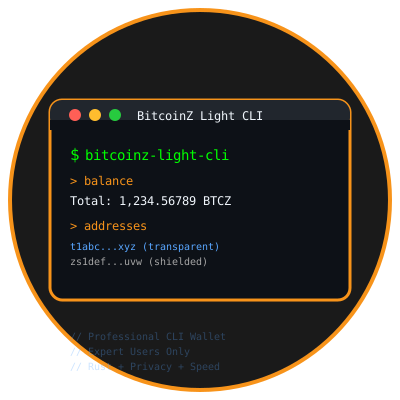
BitcoinZ Light CLI - Command Line Wallet
What is BitcoinZ Light CLI?
BitcoinZ Light CLI is a professional-grade command-line wallet specifically designed for developers, system administrators, and advanced users who prefer terminal-based interfaces. This wallet bridges the gap between user-friendly graphical wallets and complex full-node setups, offering the perfect solution for technical users who need powerful functionality without the overhead.
Why Use a Command Line Wallet?
For Developers & Technical Users:
- Automation & Scripting: Integrate BitcoinZ transactions into scripts, applications, and automated systems
- Server Environments: Perfect for headless servers and remote systems without graphical interfaces
- Development & Testing: Essential tool for BitcoinZ application developers and blockchain researchers
- System Integration: Easily integrate with existing command-line workflows and DevOps pipelines
For Privacy-Conscious Users:
- Minimal Attack Surface: No graphical interface means fewer potential security vulnerabilities
- Resource Efficiency: Uses minimal system resources compared to GUI wallets
- Professional Control: Direct access to all wallet functions without simplified interfaces
- Advanced Features: Access to features that may not be available in simplified GUI wallets
For System Administrators:
- Remote Management: Manage BitcoinZ wallets on remote servers via SSH
- Batch Operations: Process multiple transactions efficiently
- Monitoring & Logging: Easy integration with system monitoring and logging tools
- Enterprise Deployment: Deploy across multiple systems with consistent behavior
Built with Enterprise-Grade Technology
This wallet represents a significant technical achievement, built with Rust programming language for maximum memory safety, performance, and reliability. It implements the complete BitcoinZ protocol while maintaining the lightweight characteristics that make it practical for everyday use.
Lightning-Fast Synchronization
Unlike traditional full node wallets that require downloading the entire blockchain (50GB+), BitcoinZ Light CLI uses the lightwalletd protocol to synchronize in minutes instead of days, requiring less than 100MB of storage space.
Complete Privacy Support
Full Shielded Transaction Support:
- Transparent → Transparent (t→t): ✅ Standard transactions
- Transparent → Shielded (t→z): ✅ Shield funds with memo support
- Shielded → Shielded (z→z): ✅ Private z-to-z transfers with encrypted memos
- Shielded → Transparent (z→t): ✅ Unshield funds to transparent addresses
Advanced Features
- HD Wallet: Hierarchical deterministic wallet with 24-word seed phrase backup
- Memo Encryption: Send encrypted messages with shielded transactions
- Message Encryption: Encrypt/decrypt messages for z-addresses
- Custom Servers: Connect to any compatible lightwalletd server
- Transaction History: Complete transaction tracking and management
- Address Management: Generate unlimited t-addresses and z-addresses
Security Architecture
Bulletproof Security:
- Private keys never leave your device
- Local transaction signing
- Secure seed phrase generation
- No server-side key storage
- MIT licensed open-source code
Installation
Currently Available: Build from Source Only
Important Note: This wallet is currently available as source code only. Pre-built binaries are planned for future releases. Building from source ensures you have the latest features and security updates while maintaining complete transparency of the code.
Prerequisites for Building:
- Rust 1.70 or later (install from rustup.rs)
- Git version control system
- CMake build system
- Protobuf compiler (protoc)
- Basic command line experience
Step-by-Step Build Instructions
# 1. Clone the official repository
git clone https://github.com/z-bitcoinz/BitcoinZ-Light-CLI
cd BitcoinZ-Light-CLI

# 2. Build the wallet (this may take several minutes)
cargo build --release

# 3. Run the wallet
./target/release/bitcoinz-light-cli
Future Availability
Pre-built binaries for Windows, macOS, and Linux are planned for future releases to make installation easier for users who prefer not to build from source.
Basic Usage
Starting the Wallet
# Connect to default server
./bitcoinz-light-cli

# Connect to custom server
./bitcoinz-light-cli --server http://your-server:9067

# Restore from seed phrase
./bitcoinz-light-cli --seed "your 24 word seed phrase" --birthday 328500
Essential Commands
Wallet Management:
help- Show all available commandsaddresses- List all wallet addressesbalance- Show current balancenew z- Generate new z-addressnew t- Generate new t-address
Transactions:
send <address> <amount> "memo"- Send transaction with optional memolist- Show transaction history
Privacy Features:
encryptmessage <z_address> "message"- Encrypt message for z-addressdecryptmessage <encrypted_base64>- Decrypt received message
Example Usage
# Check your balance
balance

# Send 1 BTCZ (100,000,000 zatoshis) with memo
send zs1k3wanq50ae50lgujv9jkh0p2lq5wn99u8l0j5d4q8tmssv9krrpzcry4xs3jtsceg38qz9ctpnn 100000000 "Hello BitcoinZ!"

# Encrypt a private message
encryptmessage zs1k3wanq50ae50lgujv9jkh0p2lq5wn99u8l0j5d4q8tmssv9krrpzcry4xs3jtsceg38qz9ctpnn "Private message"
Technical Specifications
Built with Enterprise-Grade Technology:
- Language: Rust for memory safety and performance
- Protocol: lightwalletd for fast synchronization
- Cryptography: zcash_primitives for shielded transactions
- Network: BitcoinZ mainnet with correct parameters
- Storage: Local encrypted wallet file
Data Storage Locations:
- macOS:
~/Library/Application Support/BitcoinZ/ - Linux:
~/.bitcoinz/ - Windows:
%APPDATA%\BitcoinZ\
Who Should Use This Wallet
Perfect For:
- Developers & Programmers: Building BitcoinZ applications, smart contracts, or blockchain integrations
- System Administrators: Managing BitcoinZ on servers, automated systems, or enterprise environments
- Advanced Users: Those comfortable with terminal interfaces and command-line tools
- Privacy Enthusiasts: Users who want maximum control over their wallet without GUI overhead
- Technical Professionals: DevOps engineers, blockchain researchers, and cryptocurrency professionals
- Automation Needs: Users requiring scriptable wallet operations for business or personal use
NOT Recommended For:
- Cryptocurrency Beginners: If you’re new to Bitcoin or cryptocurrency, start with a user-friendly GUI wallet
- Casual Users: Those who prefer point-and-click interfaces and visual feedback
- Non-Technical Users: If terms like “command line,” “terminal,” or “build from source” are unfamiliar
- Mobile-First Users: This wallet requires a desktop/laptop computer with development tools
- Quick Setup Needs: Building from source requires time and technical setup
Alternative Recommendations:
If this wallet seems too technical, consider these user-friendly alternatives:
- BitcoinZ Blue: Official GUI wallet with instant sync and privacy features
- Coinomi: Mobile wallet with simple interface
- ZelCore: Multi-platform wallet with user-friendly design
Security Best Practices
- Backup Your Seed Phrase: Write down and securely store your 24-word seed phrase
- Verify Downloads: Always download from the official GitHub repository
- Keep Software Updated: Regularly update to the latest version
- Secure Your Environment: Use the wallet on secure, trusted systems
- Test Small Amounts: Start with small transactions to familiarize yourself
Support & Development
- Source Code: GitHub Repository
- Issues: Report Issues
- Community: BitcoinZ Discord
- License: MIT License
System Requirements
Minimum Requirements:
- Command line experience
- 100MB available storage
- Internet connection
- Modern operating system (Windows 10+, macOS 10.15+, Ubuntu 20.04+)
For Building from Source:
- Rust 1.70 or later
- Cargo package manager
- CMake
- Protobuf compiler (protoc)
- Git
BitcoinZ Light CLI represents the perfect balance of lightweight efficiency and professional-grade functionality, making it the ideal choice for advanced users who demand both performance and privacy.
Download BitcoinZ Light CLI - Command Line Wallet
Build from Source (vLatest)
Download
Latest Release: vLatest